Digiscoping for identification
Digiscoping trades speed for reach. A stable scope, accurately aligned camera, modest magnification, short exposure routine, and honest file handling can turn a distant sighting into reviewable evidence.
Last updated
Build from a steady scope
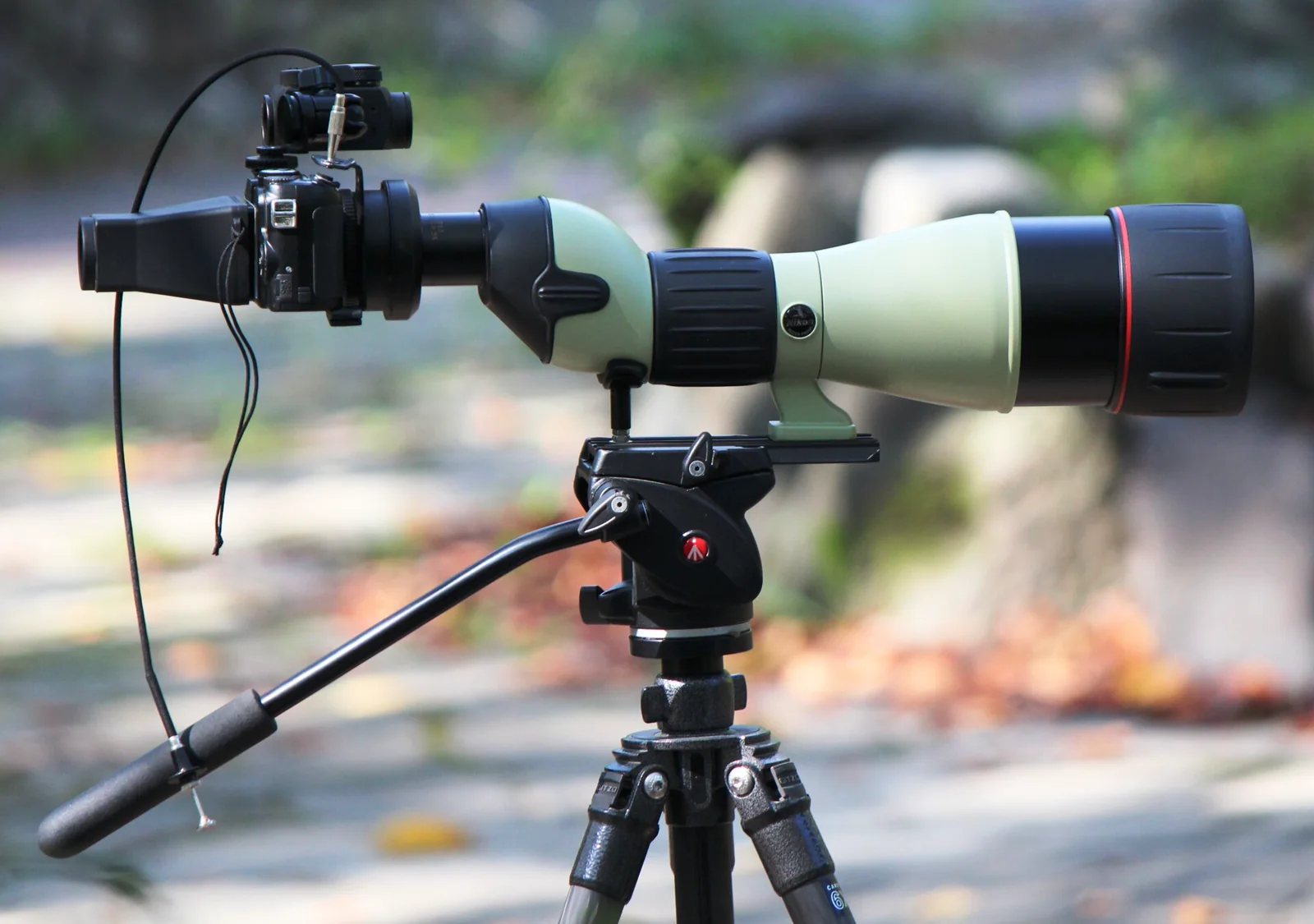
Because a spotting scope magnifies every tiny tap on a smartphone screen, a rigid tripod and locked pan head matter long before you bring a camera near the eyepiece. Center the resting gull, shorebird, or distant perched raptor in the scope and focus carefully with your naked eye first. A fitted phone sleeve or eyepiece adapter holds the camera lens at the exact optical axis and frees both hands to adjust focus, but you can still capture diagnostic field marks by bracing your thumbs firmly against the eyecup rim so the phone lens stays flat and parallel to the glass. [1][2]
- Focus the spotting scope sharply by eye and lock the tripod head before holding or mounting your camera.
- Use a fitted eyepiece adapter for repeatable alignment, or brace your fingers solidly against the eyecup rim.
- Trigger the shutter with a short self-timer, burst mode, or remote release to prevent finger-tap vibration.
Align before adding magnification
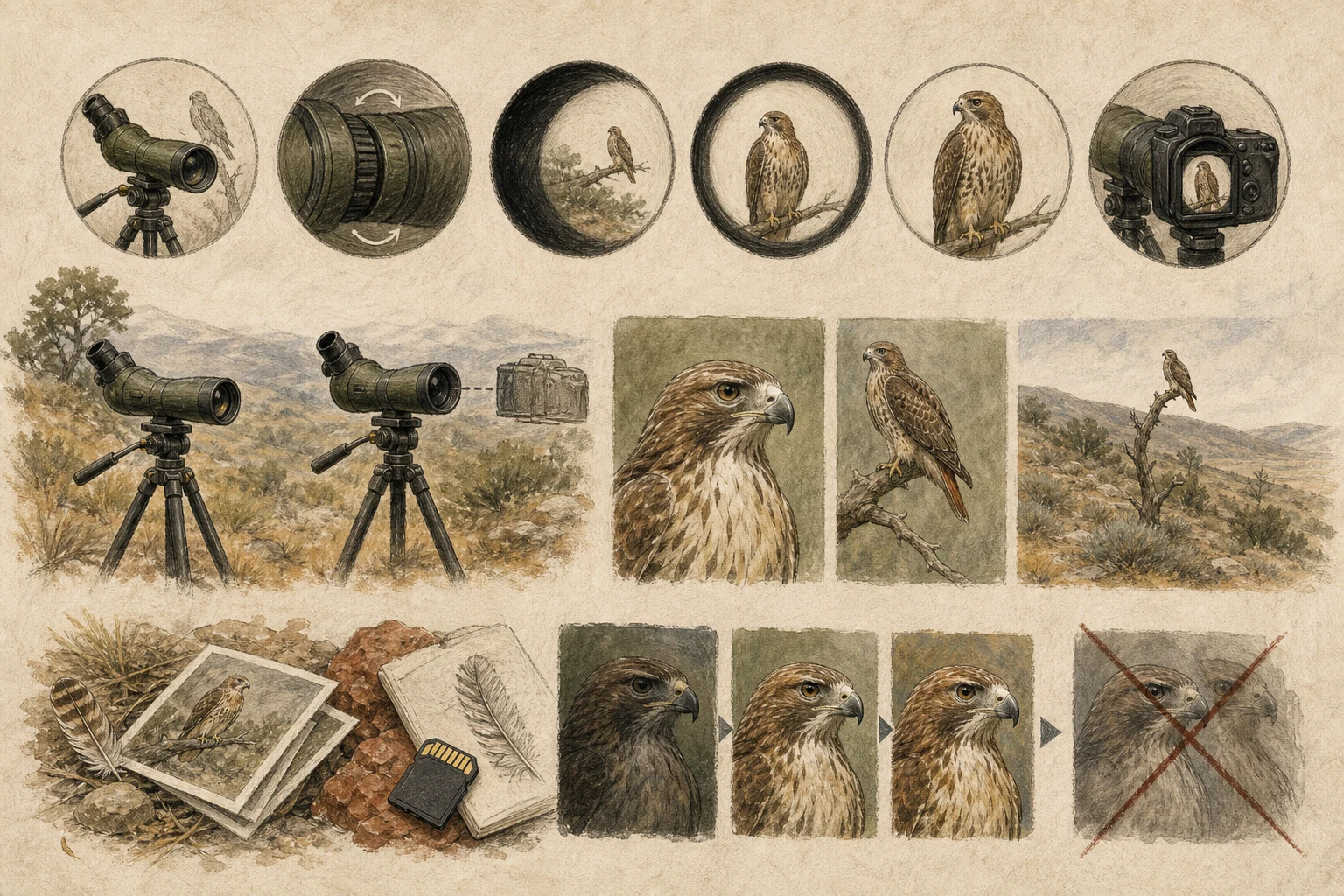
Set the scope eyepiece to its lowest power—typically 20x or 25x—where the beam of light leaving the glass (the exit pupil) is widest and easiest for a smartphone camera to enter. Slide the camera gently across the eyecup until the circular image fills the screen and dark crescent shadows around the edges disappear. If your phone has multiple rear lenses, lock it onto the main camera so the software does not suddenly jump to an unaligned macro lens. Only after the view is bright and centered should you add modest optical zoom on the scope or a slight 1.5x pinch on the screen to clear dark corners. [1][2]
- Start at the scope's lowest optical magnification so the wider exit pupil is easy to center on your screen.
- Eliminate dark crescent vignetting by nudging the camera position and distance relative to the eyecup.
- Avoid heavy digital phone zoom, which degrades feather edges into blotchy pixels instead of adding true detail.
Make an identification sequence
Even a blurry digiscoped frame can clinch an identification if it shows the right angles. Shoot a quick burst of five to ten exposures as the bird turns its head, preens, or stretches a wing, because wind vibration, blinking nictitating membranes, and subtle movement ruin many individual frames. Pair tight shots of the bill tip, scapular pattern, or leg color with a full-body profile beside neighboring species for direct size comparison, plus a wider shot showing the mudflat or shoreline context. When uploading to eBird or iNaturalist, pick the clearest three to five frames that show distinct field marks. [1][4][5]
- Capture short bursts as the animal shifts posture so you record bill profile, wing tips, and flank patterns.
- Include neighboring species in at least one frame to provide an undeniable size and structure comparison.
- Select only the sharpest, most informative angles for checklist archives rather than uploading dozens of duplicates.
Keep evidence honest and distance ethical
Treat digiscoped images as biological vouchers rather than art contests. Keep the uncropped original files and embedded timestamps intact, and limit your editing to straightforward cropping, leveling the horizon, and gentle exposure or shadow adjustments that reveal detail already captured by the sensor. Avoid generative sharpening filters or aggressive noise reduction that invents false feather fringes or alters bill color. Above all, let the scope's reach protect the animal's space: if a resting flock raises heads or edges away, stay put or step back rather than creeping closer for a cleaner shot. [3][4][5]
- Restrict editing to cropping, horizon leveling, and modest exposure adjustments that preserve true structures.
- Never use generative sharpening or heavy noise filters that fabricate feather patterns or distort colors.
- Let the optical reach of the scope substitute for physical approach so wildlife remains completely undisturbed.
Related guides
Get Fauna and identify it in the field.
Where this guide comes from
Source-checked editorial guide. Last updated . This guide teaches identification and field skills; it is not a substitute for expert verification when it matters.